top of page

quick
mobile app
rEMMITANCE
How to update
your ARC?

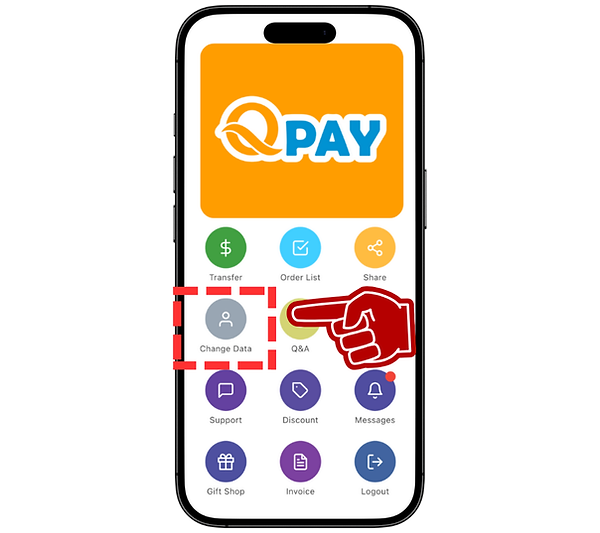
STEP 1
Login Your Account
Select "CHANGE DATA"
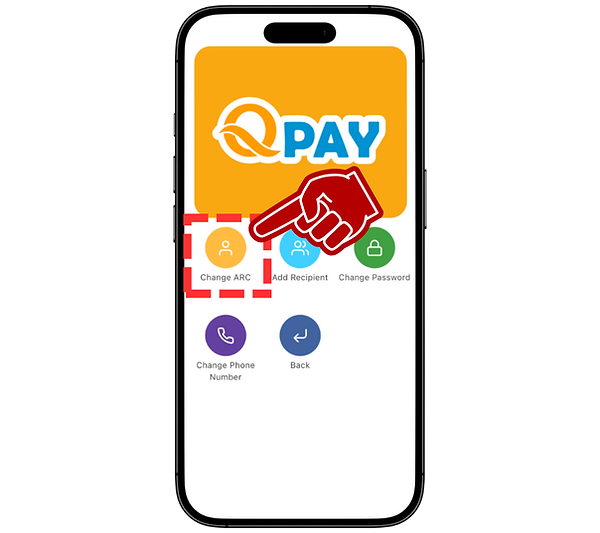
STEP 2
Select "CHANGE ARC"
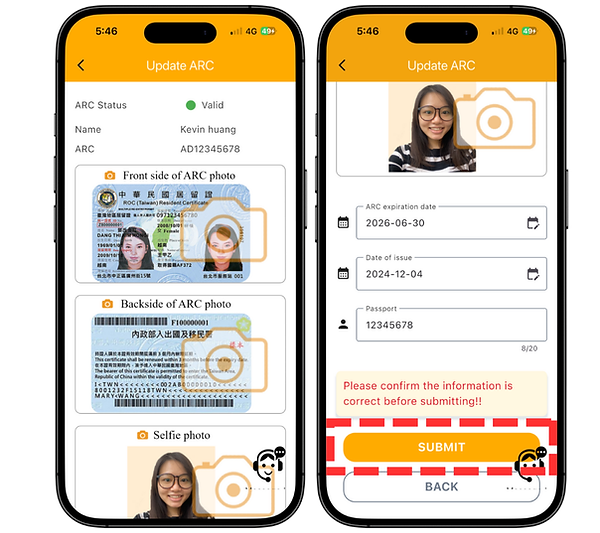
STEP 3
Fill in or Change information that match with your ARC
Upload your NEW ARC & selfie
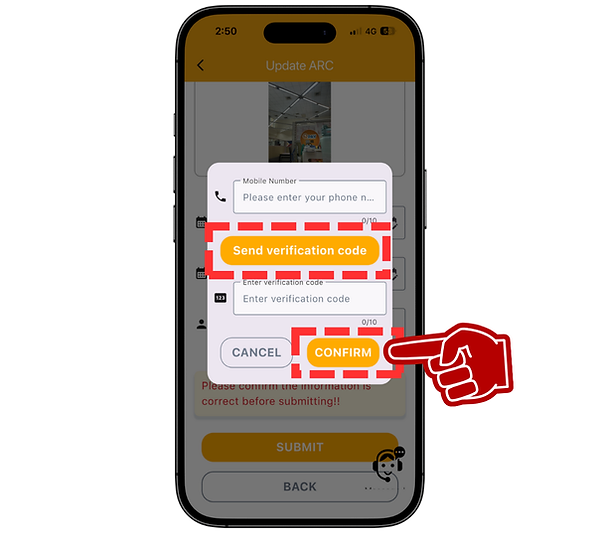
STEP 4
Fill in your registered phone number, click Send verification code
Enter verification code, click CONFIRM
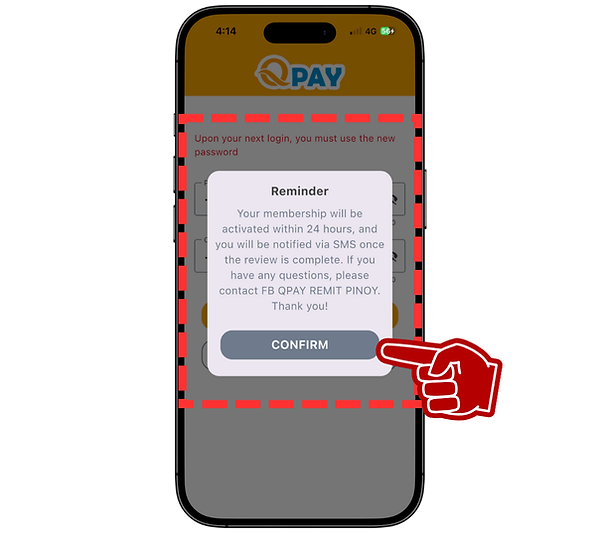
STEP 5
Click CONFIRM after reading through the message and wait for authorization.
bottom of page