top of page

quick
mobile app
rEMMITANCE
How to Send Money? Bank Account & E-wallet
STEP 1
Login in QPAY APP

STEP 2
Click "TRANSFER"

STEP 3
Select "BANK ACCOUNT"

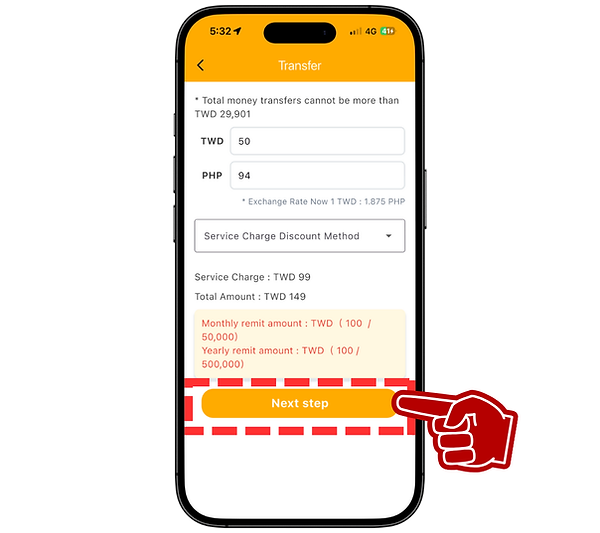
STEP 4
Insert "AMOUNT" and click "NEXT STEP"
STEP 5
Click the PLUS SIGN "+" to ADD RECIPIENT

STEP 6
Enter "RECIPIENT INFORMATION" and click "SUBMIT"

STEP 7
Double check the "TRANSFER CONFIRMATION" and click "SUBMIT"

STEP 8
Select "PAYMENT TYPE" and bring this barcode to the mini-mart to pay


bottom of page