
quick
mobile app
rEMMITANCE
How to Register?

STEP 1
Click "NEW REGISTRATION"
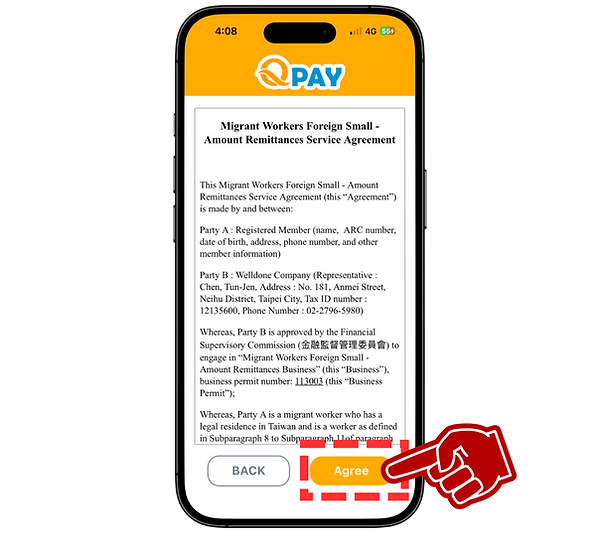
STEP 2
Click "AGREE" after you read the policy

STEP 3
Upload ARC and selfie photos
Click "NEXT STEP"
STEP 4
Fill up your information
Click "SUBMIT"


STEP 5
Fill up your mobile number (number you're currently using for yourself)
Sign your name
Click "NEXT STEP"


STEP 7
create NEW PASSWORD on the next page
STEP 6
Enter verification code that sent via SMS
Click "CONFIRM
STEP 8
Back to login page, you can login the APP
(New register account will be activated within 48hrs)


If you didn't receive SMS verification code, you can always resend it
On phone Number Verification page
1. Click "Resend verification code"
2. Go to SMS
(You have to wait 30 seconds to resend a new verification code again)
☑ Requirements
ARC photo
The submitted photograph must present a ARC card. The image must be clear, sharp, and entirely free of blur, pixelation, or any visual distortion.
Selfie photo
Please take a selfie with your entire face clearly visible (no mask or mouth covering).
Signature
Please sign with your full name.
Mobile number
Please enter the mobile number you're currently using; we'll send a verification code via SMS to it.